On This Page
- Step 1: Choose One Goal
- Step 2: Know Who's Arriving and From Where
- Step 3: Plan the Page Structure
- Step 4: Write the Copy First
- Step 5: Choose Your Builder
- Step 6: Build the Page
- Step 7: Connect Your Form and Follow-Up
- Step 8: Check It and Publish
- Step 9: Measure and Improve
- Worked Example: A Lead Magnet Page From Start to Finish
- Common Mistakes to Avoid
- How to Create a Landing Page FAQs
- Build Your First Page Faster
To create a landing page, pick one goal and one audience, write a headline that matches the link people clicked, build a short page that leads to a single call to action, then connect your form, publish and test. With a landing page builder, a simple lead-capture page can go from idea to live in an afternoon.
The steps below work with any tool. Where it helps, we show how the process looks in Leadpages, because its AI builder and templates handle several steps for you.
What You'll Need
- A clear offer (a free guide, a consultation, a webinar seat or a product)
- A landing page builder or website platform
- An email tool or CRM to receive the leads
- About two to four hours for a first page
Step 1: Choose One Goal
Every landing page should ask visitors to do exactly one thing. Download the guide. Book the call. Register for the webinar. Buy the course.
That's what separates a landing page from a homepage. A homepage serves many visitors with many goals, so it links everywhere. A landing page removes the other options so the one action is obvious. If you're unsure where the line sits, our guide to landing pages vs websites explains it.
Write your goal as a single sentence before you build anything: "Visitors from our Facebook ad sign up for the free meal-prep checklist." Everything on the page should support that sentence.
Match the Goal to the Page Type
Different goals suit different page types. A short squeeze page works for a free download, while a paid product usually needs a longer sales page that answers objections.
| Goal | Page Type | Typical Length |
|---|---|---|
| Collect emails for a free resource | Squeeze or opt-in page | Short |
| Register people for an event | Webinar registration page | Short to medium |
| Book calls or demos | Lead generation page | Medium |
| Sell a product directly | Sales page | Long |
| Warm up visitors before a checkout | Click-through page | Medium |
Our guide to the types of landing pages covers each in more depth.
Step 2: Know Who's Arriving and From Where
The same offer needs different pages for different traffic. Someone who clicked a Google ad for "meal prep checklist" already knows what they want. Someone who saw a social post is less sure and needs more context.
Answer three questions before you write:
- Who is this visitor? Their role, situation and main frustration.
- Where did they click? An ad, an email, a social post or a search result.
- What did that link promise? Your headline should repeat that promise.
That last point is called message match, and it's one of the most reliable ways to keep people on the page. If your ad says "Free 7-Day Meal Prep Checklist," your headline should say the same thing in close to the same words. Our guides to Google Ads landing pages and Facebook ads landing pages go deeper on this.
Step 3: Plan the Page Structure
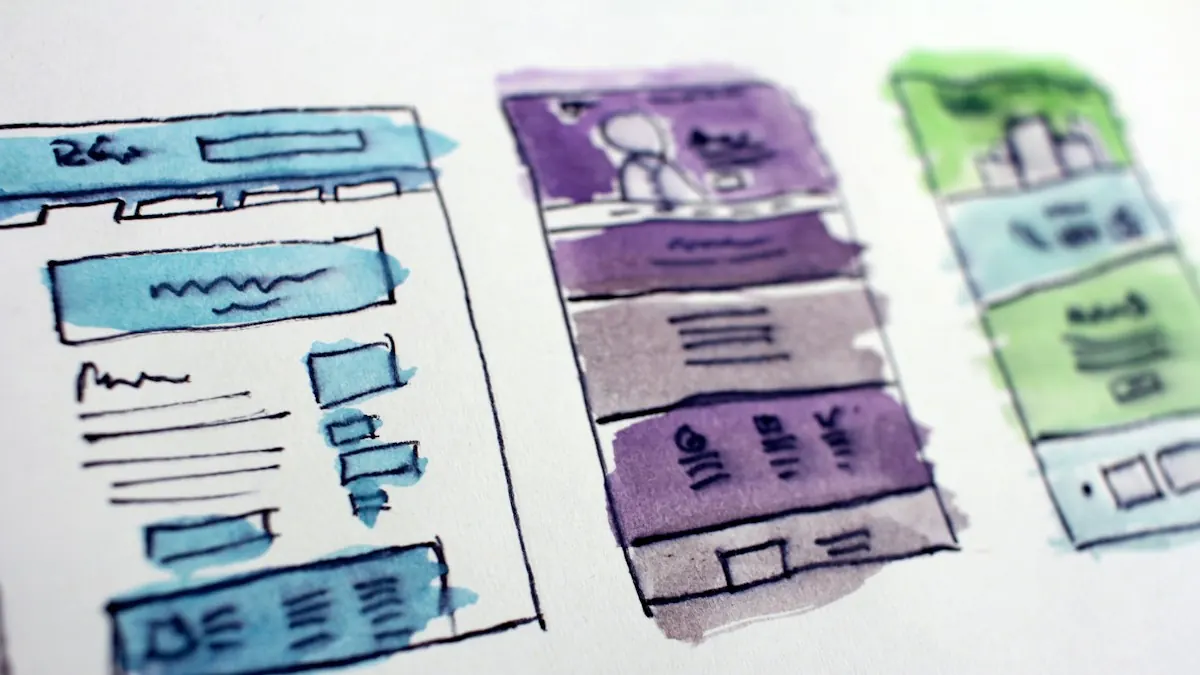
Sketch the page as a list of sections before you open a builder. Most effective landing pages follow a similar order.
- Headline and subheadline: what they get and why it matters.
- Primary call to action: visible without scrolling on most screens.
- Benefits: three to five specific outcomes, not features.
- How it works or what's inside: a short breakdown of the offer.
- Proof: real testimonials, results or credentials you can back up.
- Objections and FAQs: answers to the questions that stop people.
- Repeat call to action: the same action, restated at the end.
A short opt-in page might only need sections one, two, three and seven. A sales page will need all of them, and probably more proof.
Step 4: Write the Copy First
Write your copy before you design, so the layout serves the message rather than the other way round. Start with the headline, because it does most of the work.
A strong headline is specific about the outcome. "Plan a Week of Healthy Meals in 20 Minutes" beats "The Ultimate Meal Prep Resource." The subheadline then adds the detail the headline left out, such as who it's for or what format it comes in.
For the body, turn each feature into a benefit. "12-page PDF" is a feature. "Every recipe fits on one page you can stick on the fridge" is a benefit. Keep paragraphs short, because most visitors scan before they read.
Your button text should describe the action and the reward: "Send Me the Checklist" works better than "Submit." Our landing page copywriting guide has formulas and examples for each section.
Step 5: Choose Your Builder
You can build a landing page in three main ways, and the right one depends on your budget, skills and how often you'll make pages.
| Option | Best For | Trade-Off |
|---|---|---|
| Landing page builder (e.g. Leadpages) | Marketers who want speed, forms and testing built in | Monthly subscription |
| Website builder or WordPress | Businesses that already run their site there | More setup, testing often needs add-ons |
| Hire a designer or developer | Custom brand-heavy pages | Higher upfront cost, slower changes |
For most small businesses and solo marketers, a dedicated builder is the fastest route. You get templates designed to convert, hosting, forms and, on higher plans, testing. Our guide on how to choose a landing page builder and our best landing page builders roundup can help you decide.
Step 6: Build the Page
Now turn your plan into a page. If you use a builder, start from a template that matches your page type, or generate a first draft with AI, then replace the placeholder content with your copy.
Building It in Leadpages
Leadpages handles this step quickly. You describe the page you want and its AI page builder drafts a full layout, or you pick one of its 166+ templates built around a single action. On Business and higher plans, a brand kit pulled from your website keeps colors and fonts consistent.
From there you edit sections in place, add your form and set up a pop-up if you want a second chance to capture visitors. Our how to use Leadpages tutorial walks through the full process.
Want to skip the blank page? Leadpages' AI builder can draft your first landing page from a short description.
Try LeadpagesDesign Choices That Help
Keep the design simple and let the call to action stand out. Use one accent color for buttons and nothing else. Use real images of your product or people where you can, since generic stock photos add little.
Remove the main site navigation from the page. Every extra link is a way out. Keep the form short, asking only for what you need right now. For a free download, that's often just an email address. Our landing page forms guide covers field choices in detail.
Step 7: Connect Your Form and Follow-Up
A landing page is only half the system. The other half is what happens after someone converts.
Connect your form to your email tool or CRM so new leads are added automatically. Then set up a thank-you page that confirms the signup, delivers the resource or explains the next step. Finally, write a welcome email that arrives within minutes.
Test the whole path with your own email address before you send any traffic. Check that the lead arrives in your email tool, the thank-you page loads, and the welcome email lands in the inbox rather than the spam folder.
Step 8: Check It and Publish
Before you go live, run through a quick quality check. It takes ten minutes and catches most problems.
- Preview on a phone. Check that the headline, form and button are visible and readable.
- Click every link and button. Make sure nothing leads somewhere unexpected.
- Submit the form. Confirm the lead arrives and the thank-you page loads.
- Check the page title and description. These show in search results and social shares.
- Check load speed. Compress large images, since a slow page loses visitors.
- Publish to your domain. A custom domain looks more trustworthy than a builder subdomain.
Step 9: Measure and Improve
Once the page is live, track its conversion rate: the share of visitors who complete your goal. If 1,000 people visit and 80 sign up, your conversion rate is 8%.
What counts as a good rate depends heavily on your offer and traffic source. Our guide to landing page conversion rates explains how to judge yours.
To improve it, test one change at a time. Start with the headline or the offer itself, since those usually have the most impact. Our A/B testing guide explains how to run a fair test, and our conversion rate guide lists the changes worth trying first.
When to Upgrade Your Tools
If you're sending paid traffic to the page, testing tends to pay for itself. In Leadpages, A/B testing starts on the Grow plan, and Optimize adds Smart Traffic and heatmaps. Our Leadpages A/B testing guide explains the difference.
Worked Example: A Lead Magnet Page From Start to Finish
Here's how the nine steps come together for one realistic page. The business and numbers are an illustrative example.
The setup. A personal trainer wants more online coaching clients. She writes a free "7-Day Home Workout Plan" PDF and plans to promote it with a small Instagram ad budget.
Goal and audience (Steps 1 and 2). The goal is email signups for the free plan. Visitors are busy parents who saw an ad promising "a week of 20-minute home workouts." That promise becomes the headline: "Your Free 7-Day Home Workout Plan: 20 Minutes a Day, No Equipment."
Structure and copy (Steps 3 and 4). Because the offer is free and simple, she keeps the page short: headline, a one-line subheadline, an image of the plan, three benefits, a two-field form and a repeat button. The button reads "Send Me the Free Plan."
Build and connect (Steps 5 to 7). She drafts the page with a builder's AI tool, swaps in her own photo and copy, and connects the form to her email tool. A thank-you page delivers the PDF and invites people to book a free consult call. That's a natural next step for anyone who wants more help.
Check and launch (Steps 8 and 9). She tests the form with her own address, checks the page on her phone and publishes it on her own domain. After a week of traffic, she tests a second headline that leads with "No Equipment" to see which promise lands better.
The page took one afternoon to build. The real work was deciding the goal and writing a headline that matched the ad, and that's true of most landing pages.
What Changes for a Paid Offer
If she later sells a $49 eight-week program, the page gets longer. It needs a breakdown of what's inside, real client results she can verify, answers to objections like "What happens if you miss a day?", and a checkout. A builder with built-in payments, such as Leadpages' Stripe checkout, keeps that on one page. Our sales page guide covers that format.
Common Mistakes to Avoid
These are the mistakes we see most often on new landing pages, and each one is easy to fix.
Too Many Goals
A newsletter signup, a demo request and a shop link on one page split attention. Pick one.
A Vague Headline
"Welcome to Our Program" says nothing. Name the outcome the visitor gets.
A Long Form
Asking for a phone number and job title for a free PDF loses signups. Ask for the minimum.
No Follow-Up
A lead with no welcome email goes cold fast. Set up the thank-you page and email before launch.
When your page is built, work through our pre-launch landing page checklist, and see our landing page design guide for layout tips. New to the jargon? Our landing page glossary explains the terms.
How to Create a Landing Page FAQs
How long does it take to create a landing page?
With a builder and your copy written, a simple opt-in page can be live in two to four hours. A long sales page with custom images and proof usually takes a few days of writing and editing.
Can you create a landing page for free?
Some website builders and email tools include basic free landing pages, usually on their own subdomain with limited features. Dedicated builders like Leadpages are paid, though Leadpages offers a 7-day trial on its self-serve plans.
Do you need a website to have a landing page?
No. A landing page builder hosts the page for you, and you can publish it on your own domain. Many businesses run campaigns on landing pages before they have a full website.
How many landing pages should you have?
One per offer and traffic source is a good rule. A webinar, a free guide and a paid product each deserve their own page, and different ad audiences often benefit from their own versions.
What makes a landing page convert?
A clear headline that matches the visitor's click, one focused call to action, specific benefits, real proof and a short form. Our best practices guide covers each element.
Build Your First Page Faster
Use the Leadpages AI builder to draft your page, then follow the steps above to refine, connect and publish it.
Try Leadpages