On This Page
Leadpages A/B testing starts on the Grow plan ($99 a month), where you can split traffic across up to four page variants and pick the winner. Optimize ($199) adds Smart Traffic, which routes each visitor to the variant most likely to convert for them, plus click and scroll heatmaps. Enterprise adds a continuous loop that promotes winners and generates the next variant automatically.
Pro and Business don't include testing. That makes testing the single biggest reason to choose one Leadpages plan over another.
Which Testing Plan Fits You
Grow ($99): you run paid ads or steady traffic and want to test headlines and offers yourself.
Optimize ($199): you have consistent traffic and want the platform to route visitors automatically, with heatmaps to explain why.
Enterprise (from $399): you run many pages and want testing to run continuously across all of them.
Pro or Business: testing isn't included, so you'd improve pages using analytics and page scoring instead.
The Three Layers of Testing
Leadpages rebuilt its testing in 2026 and now describes three layers. Each builds on the one below.
| Layer | Plan | What It Does | You Decide or It Decides |
|---|---|---|---|
| Manual A/B testing | Grow and up | Splits traffic across variants and measures which converts better | You pick the winner |
| Smart Traffic | Optimize and up | Routes each visitor to the variant most likely to convert for them | The platform routes automatically |
| Auto-optimization loop | Enterprise | Promotes winners and generates the next variant to test | The platform runs the cycle |
Manual A/B Testing (Grow)
This is classic split testing. You duplicate a page, change one element, set how traffic is split, and choose a conversion goal such as form submissions or purchases. Leadpages shows results as they come in, including statistical significance, so you know when a difference is real rather than random.
On Grow you can test up to four variants, labeled A to D. You can also ask the AI builder to create an alternative version of your page to test, which saves time writing variants from scratch.
Smart Traffic (Optimize)
Smart Traffic works differently. Instead of splitting traffic evenly and waiting for a winner, it learns which variant converts best for different kinds of visitors and sends each new visitor to the one most likely to work for them. Leadpages describes it as a multi-armed bandit approach.
What this means for you: less traffic is spent on losing variants while the test runs, and different audiences can see different winners. A mobile visitor from Facebook might convert best on one version while a desktop visitor from Google prefers another.
Auto-Optimization (Enterprise)
At the top tier, Leadpages runs the cycle continuously: it promotes the winning variant, generates the next one to test and repeats, and it can learn across pages. It's aimed at teams managing many pages who don't have time to run each test by hand.
Start the 7-day trial on Grow or Optimize to run a real test on your own page before you commit.
Try LeadpagesA/B Testing vs Smart Traffic: Which Do You Need?

Both are useful, and they answer different questions.
Use Manual A/B Testing When...
You want a clear answer to a specific question, such as "does a free-trial headline beat a demo headline?" You'll learn something you can reuse on other pages and in your ads.
Use Smart Traffic When...
You care more about maximizing conversions right now than about a clean lesson. It's strongest when your traffic is mixed, for example ads plus email plus social.
Many teams use both. Run a manual test to find a strong overall winner, then let Smart Traffic route visitors between your best two or three versions.
How Much Traffic Do You Need?
Testing needs enough visitors to produce a trustworthy answer. If a page gets 200 visits a month, a test may take months to show a real difference, and Smart Traffic has little to learn from.
As a rough rule, testing pays off most on pages with steady traffic, usually ads or a regular email audience. Leadpages shows statistical significance in its results, so you'll see when a test has enough data. Our guide to A/B testing landing pages explains sample size and significance in plain English.
Is Grow Worth It for You?
Assumption: you spend $2,000 a month on ads sending visitors to one page that converts at 5%.
If a headline test lifts that to 6%, you get one fifth more leads from the same spend. That's often worth far more than the $50 a month difference between Business and Grow. If your page gets a few hundred unpaid visits a month, that same lift barely changes your lead count, and Business is likely enough.
What to Test First
Start with changes that affect the visitor's decision most. These usually move results more than small design tweaks.
- The headline. Test different promises, such as speed vs savings vs ease.
- The offer. A free guide vs a free consultation, or a trial vs a demo.
- The call to action. Button wording that names the reward.
- Form length. Email only vs name and email.
- Proof placement. Testimonials near the top vs near the form.
Change one thing per test when you want a clear lesson. Change several when you're testing two very different page concepts against each other.
Heatmaps and Analytics
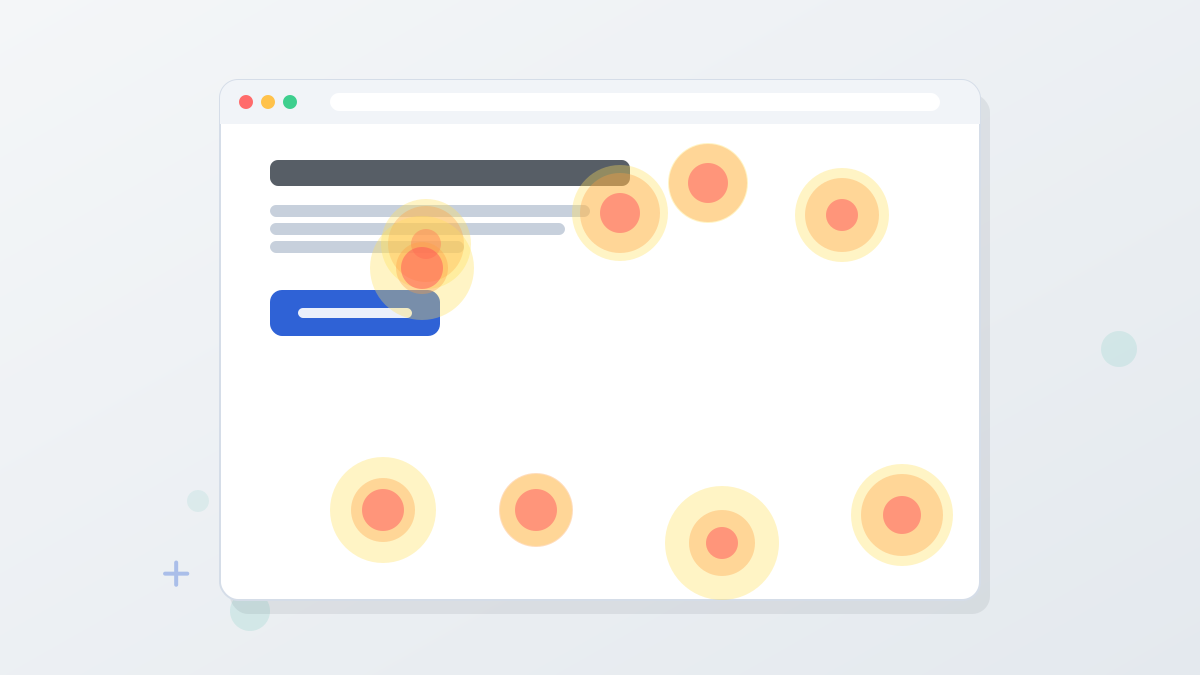
Optimize adds click and scroll heatmaps. They show where visitors click and how far they scroll, which helps explain why a variant won or lost. If most visitors never scroll to your form, for example, moving it higher becomes an obvious next test.
Every plan includes conversion and traffic-source reporting, and Leadmeter and the Optimization Score flag common page problems. On Pro and Business, those are your main improvement tools. Our landing page heatmaps guide explains how to read them.
How Leadpages Testing Compares
Testing tools are often sold separately or priced higher. Here's how Leadpages' testing entry point compares with two well-known landing page builders, based on each vendor's official pricing.
| Tool | First Plan With A/B Testing | Traffic Limits |
|---|---|---|
| Leadpages | Grow, $99/month | None on any plan |
| Unbounce | Experiment, $149/month | 30,000 visitors on that plan |
Our Leadpages vs Unbounce comparison and Leadpages vs Instapage comparison cover the wider differences.
For automatic routing on Optimize, our Leadpages Smart Traffic guide explains how it differs from a classic test.
Leadpages A/B Testing FAQs
Does every Leadpages plan include A/B testing?
No. Testing starts on Grow ($99 a month). Pro and Business are publishing plans without A/B testing.
How many variants can you test in Leadpages?
Leadpages' help center says Grow supports manual A/B testing with up to four variants. Optimize adds Smart Traffic on top of A/B testing.
What is Smart Traffic in Leadpages?
Smart Traffic is an AI routing feature on Optimize and higher. It sends each visitor to the variant most likely to convert for them, instead of splitting traffic evenly.
Can AI create test variants for you?
Yes. You can ask the AI builder to create an alternative version of a page, then test it against the original.
Does Leadpages show statistical significance?
Yes. Leadpages says test results update in real time with statistical significance, so you can tell when a difference is reliable.
Find Out What Really Converts
Trial Grow or Optimize for 7 days and launch your first test on the page that matters most.
Try Leadpages