On This Page
Leadpages is well suited to paid ads because it combines the three things ad traffic needs: pages that match the ad, conversion tracking and testing. Grow ($99) adds A/B testing and dynamic text replacement, which swaps your headline to match the ad or keyword. Optimize ($199) adds Smart Traffic, heatmaps and integrations that send conversions back to Google Ads and Meta Ads.
Unlimited traffic on every plan also matters here. When a campaign scales, your page costs don't.
Which Plan for Your Ad Spend
Testing a small budget: Business ($49) gets campaign pages live with tracking pixels, but no A/B testing.
Steady spend on Google or Meta: Grow ($99). Dynamic text replacement and A/B testing are where paid traffic pays back.
Larger budgets or many ad groups: Optimize ($199). Smart Traffic, heatmaps and offline-conversion sync with Google Ads and Meta Ads.
Why Ad Traffic Needs a Dedicated Page
Sending ad clicks to your homepage wastes money. The visitor clicked a specific promise, and a homepage makes them hunt for it among everything else you do.
A dedicated landing page continues the conversation the ad started. It repeats the ad's promise, removes navigation and asks for one action. That's called message match, and it improves both conversions and, on Google, how the ad platform rates your page experience. Our Google Ads landing page guide explains how Google judges landing pages.
Message Match With Dynamic Text Replacement

Dynamic text replacement (DTR) lets one page serve many ad groups. It reads a parameter in the ad's link and swaps the headline, subheadline or button text to match.
How DTR Works in Practice
You run Google Ads for "emergency plumber," "burst pipe repair" and "water heater repair." Instead of three pages, you build one, with a default headline. Each ad's link carries a parameter, and Leadpages shows "Burst Pipe Repair, Same Day" to people who clicked the burst-pipe ad.
DTR is available on Grow, Optimize and Enterprise, and you can set rules for several text elements on the same page. Leadpages' panel generates the link with the right parameter for you to paste into Google Ads or Meta Ads Manager. Our dynamic text replacement guide covers setup and pitfalls.
Building Pages From Your Ads
Leadpages can connect to your Google Ads and Meta Ads accounts and pull in campaigns already running, including their copy, keywords and audiences. The AI builder can then draft a landing page from a campaign, with matching messaging, your brand kit and DTR pre-configured.
What this means for you is fewer mismatches. The page starts from the ad's own words, so message match is built in from the first draft rather than added later.
Tracking Conversions
You can't improve what you can't measure. Leadpages tracks form submissions, button clicks and purchases, and attributes conversions to traffic sources. UTM parameters are captured automatically.
| Method | What It Does | Plan |
|---|---|---|
| Built-in analytics | Conversions and traffic sources inside Leadpages | All plans |
| Tracking pixels and tags | Add Google Ads, Meta Pixel or other tags to pages | All plans |
| Google Analytics and Tag Manager | Wider site analytics and tag management | All plans |
| Google Ads and Meta Ads offline conversions | Sends real conversions back so bidding learns from leads | Optimize and up |
The offline-conversion integrations matter most at higher spend. When Google Ads and Meta know which clicks became real leads, their automated bidding can aim for more of them.
Running ads this month? Trial Leadpages Grow for 7 days and send your next campaign to a page that matches the ad.
Try LeadpagesTesting Your Ad Pages
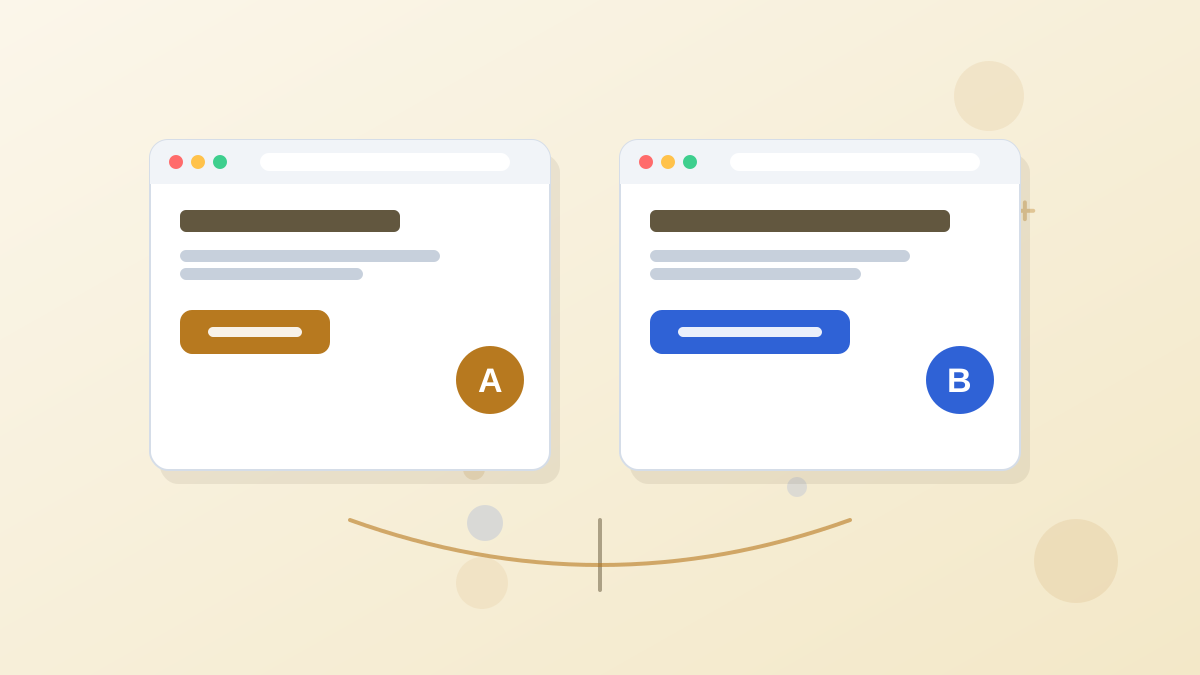
Paid traffic is where A/B testing pays off fastest, because you have steady visitors and a clear cost per click.
- Start with the offer or headline. These usually move results more than design changes.
- Split traffic between variants on Grow, with up to four versions per test.
- Wait for significance. Leadpages shows when a difference is statistically reliable.
- Roll out the winner, then test the next most important element.
- On Optimize, switch on Smart Traffic to route each visitor to the variant most likely to convert for them.
Does Testing Pay for Itself?
Assumption: $3,000 a month in ad spend, $3 per click, a 5% conversion rate. That's 1,000 clicks and 50 leads, about $60 per lead.
If a headline test raises conversions to 6%, you get 60 leads for the same spend, about $50 per lead. That extra 10 leads a month typically outweighs the cost of Grow over Business.
Our Leadpages A/B testing guide explains manual tests, Smart Traffic and how much traffic you need.
Google Ads vs Meta Ads Pages
The two platforms send different visitors, so the pages should differ.
Google Search Visitors
They searched for something specific and are often ready to act. Keep pages focused, match the keyword with DTR and make the form or phone number easy to reach.
Meta (Facebook and Instagram) Visitors
They were interrupted while scrolling and are often earlier in their decision. Give more context, lead with the benefit and use stronger visuals. Lead magnets often work well here.
Our guides to Google Ads landing pages and Facebook ads landing pages go deeper on each.
Page Speed and Mobile
Most paid social traffic and much paid search traffic arrives on phones. Leadpages pages are mobile-responsive and hosted on its own infrastructure, but your choices still affect speed. Compress large images, avoid auto-playing video above the fold and keep forms short on mobile.
Preview every ad page on a phone before launching the campaign, and check that the headline, offer and form or button appear without much scrolling.
A Paid Ads Launch Checklist
- One landing page (or one DTR-driven page) per ad group or audience
- Headline that repeats the ad's promise
- No site navigation, one call to action
- Tracking pixel or conversion tag installed and tested
- Form connected to your email tool or CRM, with a test lead submitted
- Thank-you page that fires the conversion and explains the next step
- Mobile preview checked
Channel-specific guides: Google Ads, Facebook ads, LinkedIn ads and TikTok ads landing pages, plus our UTM parameters guide for tracking.
Leadpages for Paid Ads FAQs
Is Leadpages good for Google Ads?
Yes. Dedicated pages, dynamic text replacement for keyword matching, conversion tracking and A/B testing make it a strong fit for search campaigns.
Which Leadpages plan has dynamic text replacement?
Dynamic text replacement is available on Grow, Optimize and Enterprise. It isn't included on Pro or Business.
Can Leadpages send conversions back to Google Ads and Meta?
Yes. Google Ads and Meta Ads offline-conversion integrations are available from the Optimize plan. On lower plans you can still add standard tracking pixels.
Does Leadpages charge more if your ads bring lots of traffic?
No. There are no traffic caps on any Leadpages plan, so scaling a campaign doesn't raise your Leadpages bill.
Should you build one page per ad group?
For your highest-spend ad groups, yes. For many smaller ad groups, one page with dynamic text replacement can match each group's keyword without building dozens of pages.
Make Every Click Count
Trial Grow or Optimize for 7 days and give your next campaign a page built to match it.
Try Leadpages